28 January 2013
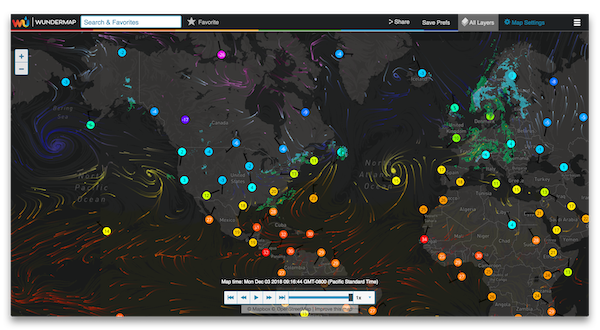
The beta period has ended and the new map released to the website. Thanks for all the feedback you're sending in to us. With your input and our efforts, we hope to make the best interactive map possible. We put this page together to let you know how the beta is going. Here you'll find the top issues we are hearing from you about, some insights as to what's being worked on based on suggestions that you are making, and some answers to some of the more frequent problems that we are receiving.
What's in the Latest Map
The following improvements have been incorporated into the map:
-
Larger Full Screen Map
Map adjusts to fit available space as your browser window adjusts.
-
Weather View Returned
The center of the map now shows a weather view in the side bar as you pan and zoom.
-
Simpler, cleaner User Interface
Some adjustments have been made to the UI based on your feedback.
-
More touch-friendly inputs
-
Animation Speed Controls
A lot of people have asked for this and it has been added in this release.
-
Improved Opacity Control
-
Added a Slider to the zoom control
-
Added step Forward and Backward to the animation control
-
Performance Improvements
-
Improved Browser Compatibility
-
Remaining Bug Fixes
See the known issues section below for more on this. Know that we are working to address these.
-
Streamlined Saved Locations
The saved location control now saves only the your location and zoom level for a more predictable and consistent experience.
What's in the Works...
We are currently working on the following improvements to the map:
Known Issues
Below are a few on the larger issues that you are reporting. We are actively working on these issues, and we will post updates on our progress as we have them.
-
New map is slower than the old one (loading, zooming)
-
Full screen map does not persist current location
-
Issues with some layers not loading with older computers
-
Touch-panning in IE10 on Microsoft tablets or smart phones is not yet supported
-
iPad pinching to zoom may result in a unfinished scaling of the map
-
Navigating away from the map in Chrome versions 22 and 23 causes a loading delay (fixed in Chrome 24).
To help us with our latest version, please provide feedback by clicking here.
Frequently Asked Questions
-
Where is the old map?
For users that are having issues with the map, here is a link to the old map.
-
Why are you changing the old map?
There are a lot of new features that we aren't able to release on the old map. The new map provides us with a robust platform to build upon in the
future. Once we get through these initial issues that some of you are experiencing, we are sure that you will see the value of the change. The new
map also provides us the opportunity to provide the service to you on a wider range of platforms, including mobile devices.
- Where are the following features in the new map?
-
Temperature Plots, Storm Tracks, and other layers
Click on the Map Settings button to display a list of the available layers. You can set them as a Quick Pick by clicking on the Quick Picks button.
- What browsers does the interactive map support?
- Firefox 9+
- IE 8+
- Chrome 16+
- Safari 5.1+
- Opera 12+
-
How long will you keep up the old interactive map?
We have not determined how long we will keep the older map up. We recognize that there are certain scenarios that prevent people from being able to use the new map,
and we're trying to make the transition as smooth as possible.